Humble Bundle, Inc.
USD 69.990000
Source availability: InStock.
View offer at Humble Bundle, Inc.Movavi Slideshow Maker is the fastest and easiest way to make a stunning slideshow for any purpose: a birthday gift, a compilation of your best gaming moments, a work presentation, and more. New Features: Fast Track HD Upgraded Pan & Zoom tool Audio enhancement tools and effects Sound visualization Motion tracking Transitions with built-in audio Change audio speed without changing the tone Vertical screen adaptation Object tracking Export video quality controls Let Your Creativity Flow Upload any footage you have: holiday pictures, funny videos, or even game screenshots. Move, split and cut slides, join them with spectacular transitions. Make as many adjustments as you need: crop and rotate pictures, boost colors, normalize sound in clips, and more. Add the music of your choice and have the slides advance following the rhythm of that music. You can also add a voice-over and record images from your webcam or an external device. Start with the Slideshow Wizard Try the Slideshow Wizard if you’re just starting to use the program. It’s an automated approach that helps you create videos in no time. All you need to do is import your files and choose a theme. The program will create a presentation in the blink of an eye. You can also set the target video length and change the titles. Already have a favorite transition style? Create a custom theme and use it whenever you want. Give It the Perfect Look Try zooming in and out of pictures, use the fade-to-black effect, or make your slides roll over. Use filters to sharpen details, reduce camera shake, and make your images brighter and more colorful. Use the Transition Wizard to join all clips at once and smooth out the flow of your presentation. You can make it even more dynamic by adding transitions to both main and supplementaryl tracks! Audio enhancement Use new audio tools to optimize videos with poor audio quality. Choose the decibel level and get rid of any noises lower than that. Lower the difference between loud and soft noises. With audio effects, you can distort music and voice. But you can also save the original sound — for example, change audio speed without changing the tone. Sound visualizer will help you to eliminate noise jumps during the montage. Try Hollywood-Style Directing Add a Hollywood touch to your visuals and throw in some special effects. Use Chroma Key to change the background and place your characters in completely different surroundings. Add dynamic elements with the Pan & Zoom tool. Slow-motion will create suspense and have your viewers on the edge of their seats. If you want to cut out scenes with a particular character, try the Scene Detection. Save and Show! After the presentation is complete, save it in a popular format like AVI, MOV, or MP4, or use a device-specific conversion profile. You can also easily share your video with friends and instantly upload it to YouTube right from within the program.
USD 69.990000
Source availability: InStock.
View offer at Humble Bundle, Inc.No eligible native seller offers are currently linked.
Sell this exact product on InVastorMatch identifiers, variant and condition. Compare delivery, taxes and warranty coverage before paying. The lowest displayed price is not necessarily the lowest delivered cost.
Read our comparison method
PEN 558.000000 · Lenovo Peru
Source date: Thu Nov 26 2026 17:01:02 GMT+0000 (Coordinated Universal Time)
PEN 453.000000 · Lenovo Peru
Source date: Thu Nov 26 2026 17:01:02 GMT+0000 (Coordinated Universal Time)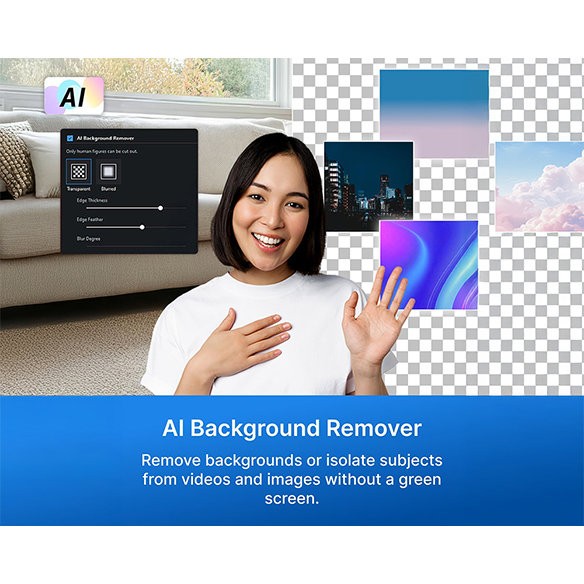
PEN 447.000000 · Lenovo Peru
Source date: Thu Nov 26 2026 17:01:02 GMT+0000 (Coordinated Universal Time)
PEN 596.000000 · Lenovo Peru
Source date: Thu Nov 26 2026 17:01:02 GMT+0000 (Coordinated Universal Time)
PEN 150.000000 · Lenovo Peru
Source date: Thu Nov 26 2026 17:01:02 GMT+0000 (Coordinated Universal Time)
PEN 558.000000 · Lenovo Peru
Source date: Thu Nov 26 2026 17:01:02 GMT+0000 (Coordinated Universal Time)
PEN 485.000000 · Lenovo Peru
Source date: Thu Nov 26 2026 17:01:02 GMT+0000 (Coordinated Universal Time)
PEN 155.000000 · Lenovo Peru
Source date: Thu Nov 26 2026 17:01:02 GMT+0000 (Coordinated Universal Time)